FAQ accordion for Shopify
Answer it before they ask
Sizing, shipping and returns questions, answered on the product page.
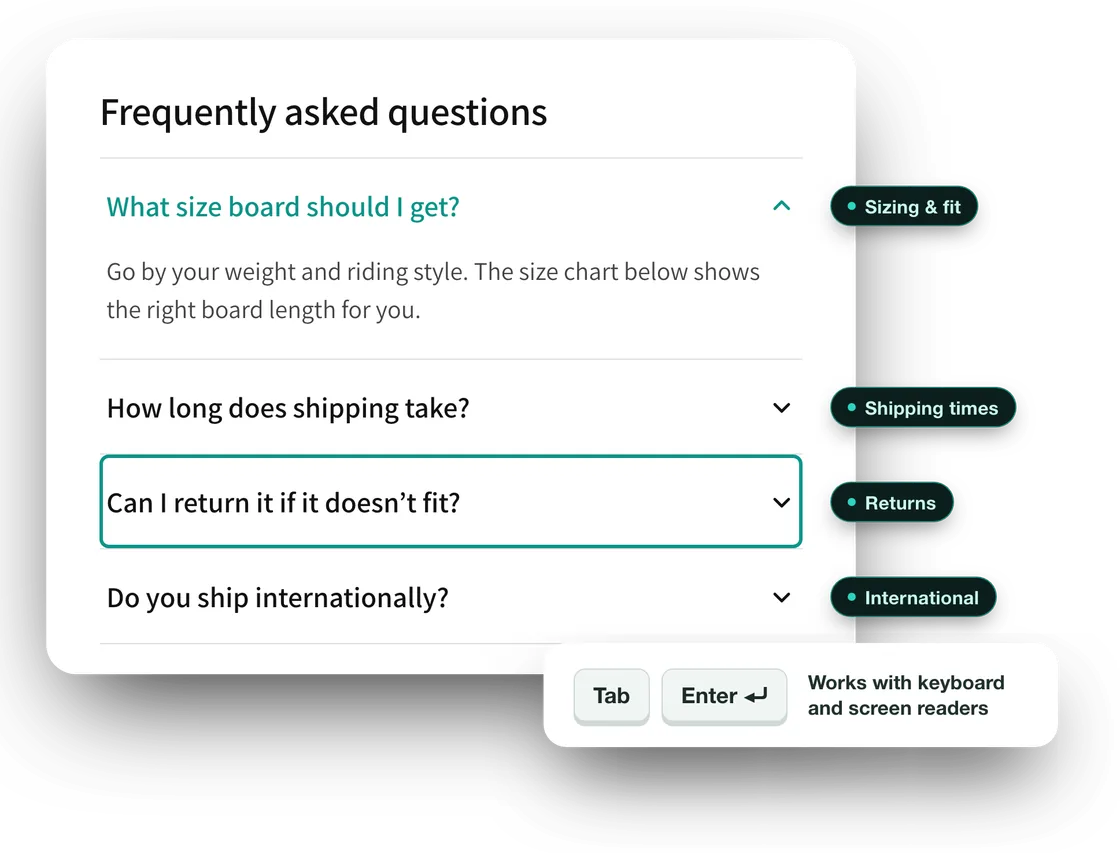
A question nobody answers on the page turns into an email, or a closed tab. The FAQ accordion puts your answers next to the product, where the question comes up.
- Free, no paid plans
- No code
- Works with keyboard and screen readers
Part of Store Essentials, our free app for storefront basics. Installing it also gives you Trust Badge and Announcement Bar — none of them shows on your store until you add it.
Shopify App Store
Free— no paid plans
Theme app extension— no code, no theme edits
No store data— the app requests no access
Asked every day
The same four questions.
You have answered them before. Put the answer where the shopper is when they wonder.
Size?
How it fits, and which size to choose.
Shipping?
How long it takes to arrive.
Returns?
What happens if it does not fit.
Abroad?
Whether you ship to them.
Features
What you can set
Everything below ships in the app today. Nothing here is a roadmap item.
Up to ten questions
Each block holds up to ten questions, with answers that can carry bold text, links and lists. Common questions are filled in to start you off — replace the answers with your own.
Usable by everyone
Each question is a real button: it opens with Tab and Enter, tells screen readers whether it is open, and skips the animation for shoppers who turn motion off.
Looks like your store
Choose bordered, card or minimal questions, a chevron or a plus on the left or the right, and an accent colour.
Opens the way you want
Open the first question when the page loads, and let shoppers open one answer at a time or several.
Structured data that matches
The block can add FAQ structured data (JSON-LD) built from the same questions shown on the page. Switch it off if your theme already adds its own.
FAQ
Your questions, answered
FAQ Accordion
Where can I add the FAQ accordion?
On the product page, or any page where the theme editor lets you add an app block — so it also works for a store-wide FAQ page. It needs an Online Store 2.0 theme, such as Dawn or Horizon.
Can each product have its own questions?
The questions belong to the page template, so products that share a template share the FAQ. To give a product its own questions, give it its own template in Shopify and add a block there.
Is the FAQ accordion a separate app?
It is one of three blocks in Store Essentials, our free app. One install gives you the FAQ accordion, the announcement bar and the trust badge, and none of them shows on your store until you add it.
Does the FAQ accordion send anything to you?
No. The questions are saved by Shopify with your theme, and the app requests no access to your store's data.
Add the FAQ accordion free
Install Store Essentials, open a product page in the theme editor and add the FAQ accordion block. Free, with no paid plans.